01 / Context & objective
Turn HR, finance and project needs into one coherent BI prototype.
During my two-month internship at Alshadows Technologies, the objective was to build a Power BI prototype that could bring several management questions into one analytical path: workforce, budgets, projects, performance and employee detail.
A relational model connecting employees, budgets, projects, salaries, leave, work hours and reviews.
Metrics for budget variance, activity, overtime and performance monitoring.
Four analytical paths, from executive overview to individual drill-through.
Project outcome: the data is demonstration data, so the project does not claim to describe the company’s real HR situation. It demonstrates how a business need can be translated into a data model, calculations and coherent analytical interfaces.
02 / Data modeling
Before the charts, I designed the relational structure behind them.
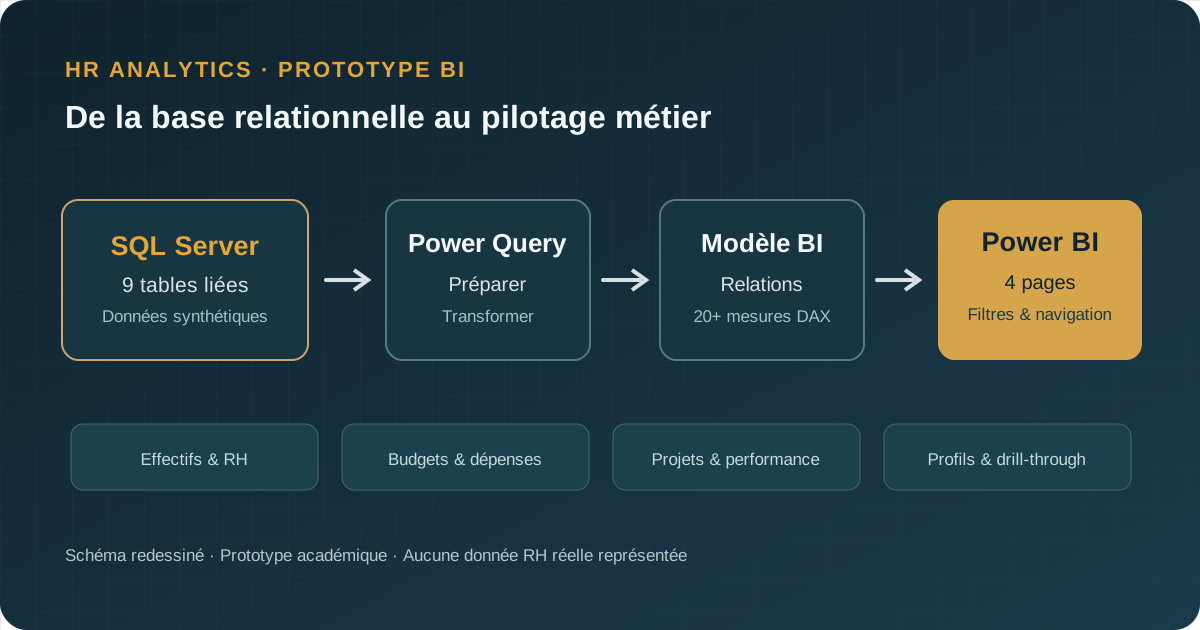
I built a nine-table SQL Server model: employees, departments, salaries, budgets, projects, assignments, work hours, leave and performance evaluations.
9 tables with explicit relationships
Schema and key definition, insertion of demonstration records and a set of 30 SQL queries covering practical HR and finance questions.
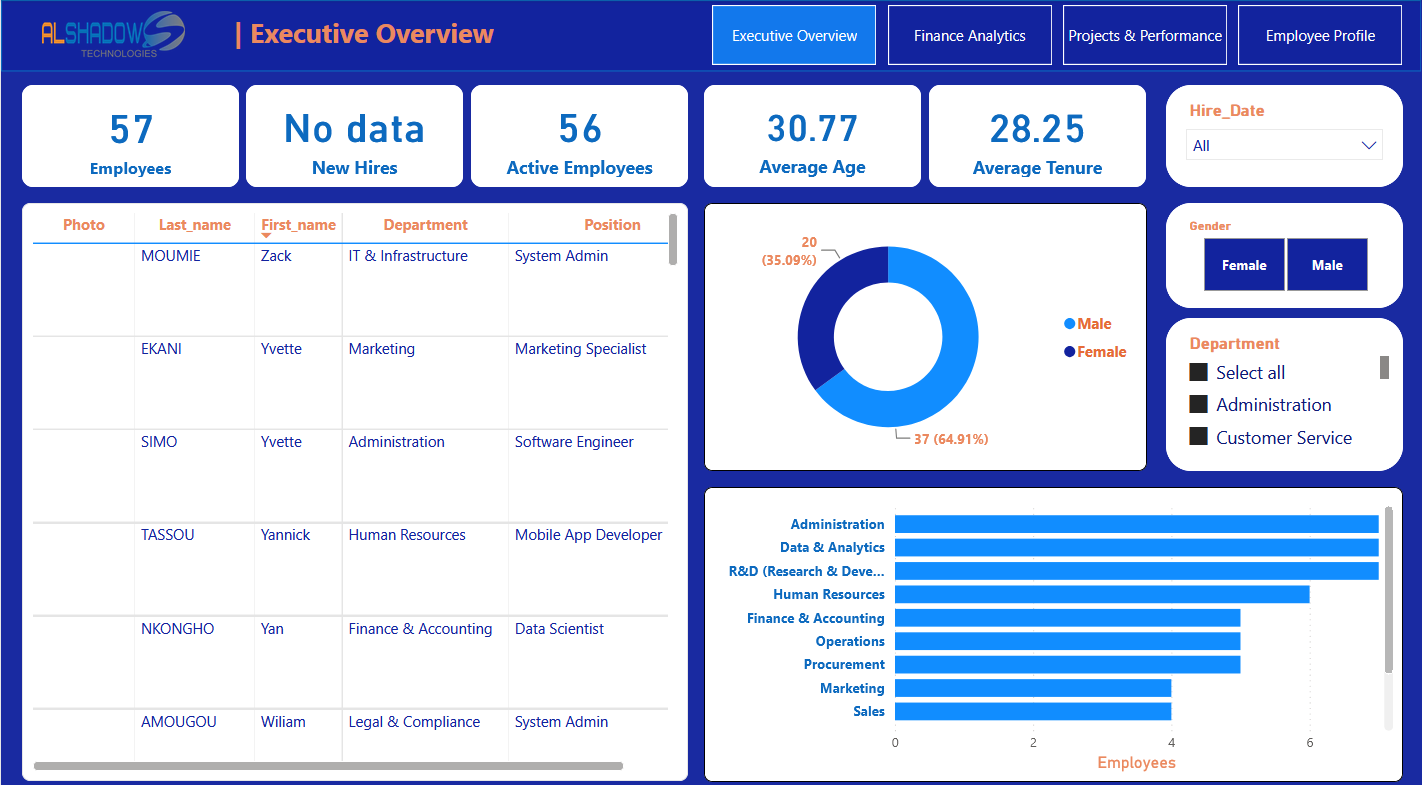
57 profiles in the demonstration dataset
These profiles and metrics are used to test calculations and interactions. They do not represent Alshadows’ actual headcount or financial results.
03 / BI architecture
From SQL Server to decisions: a transparent transformation path.
Demo data was inserted mainly through a manual SQL process. Power Query prepared the tables for the Power BI model; DAX measures included budget variances, salary expenses, overtime hours and performance ratings. The result was a coherent explorable prototype, not an automated production pipeline.
04 / What the prototype lets users explore
Each page answers a different question instead of simply stacking charts.
KPIs, filters and distributions provide a fast view of headcount, tenure, departments and hiring activity.
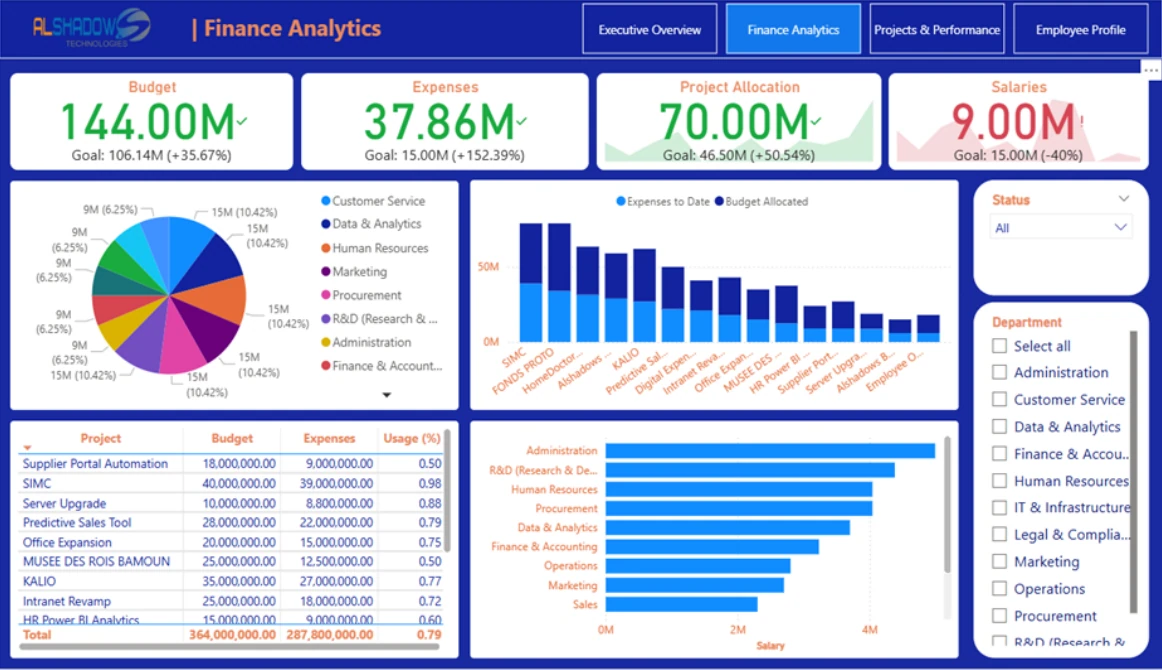
Budgets, expenses, salary costs and projects are brought together to reveal allocation and variance.
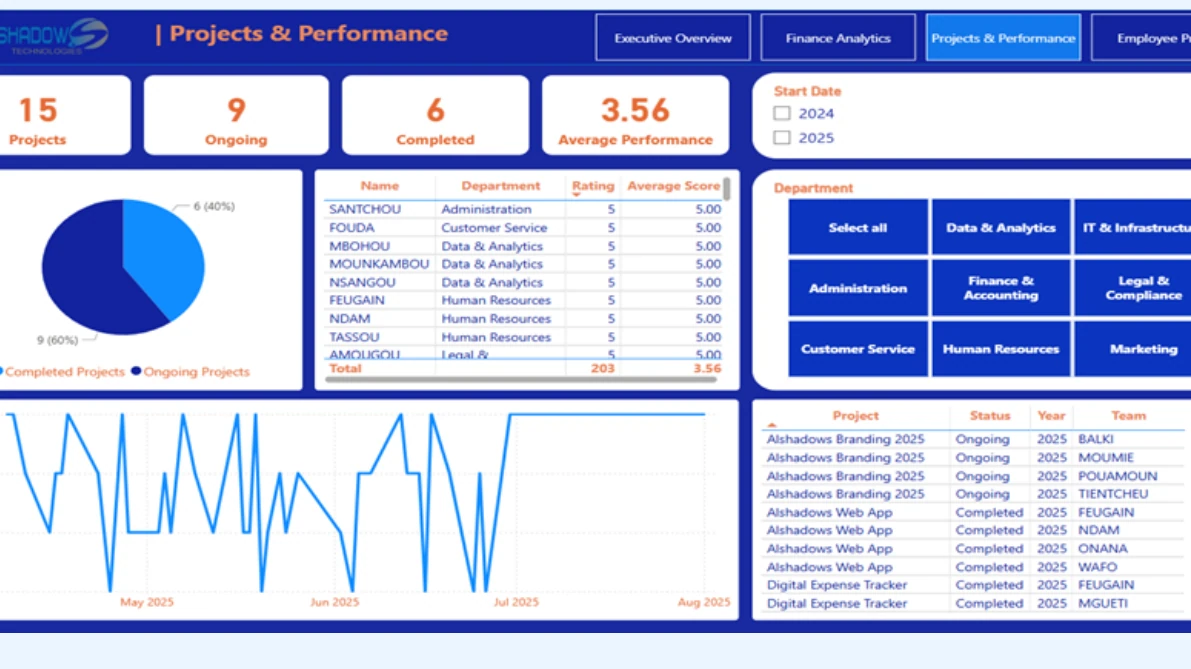
Project status, assignments, review scores and performance trends are combined into one monitoring view.
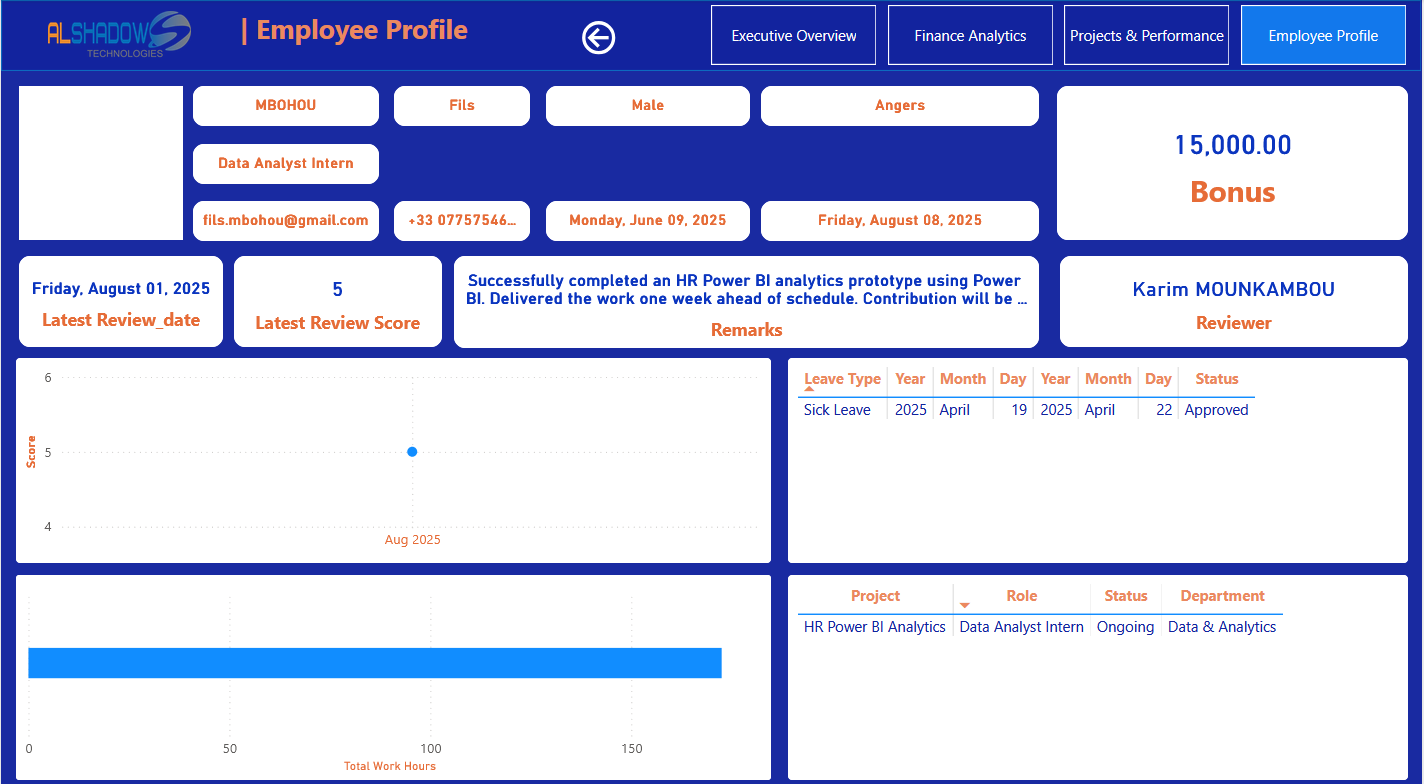
The detail page connects history, projects, work hours, leave and reviews without leaving the report.
Explore the interactive Power BI report
Use filters and navigate through the report’s four pages. This is a public demonstration prototype: the content is available without authentication and the HR and financial results are simulated.
Open the report in a new tab ↗05 / Delivery
An iterative workflow where each decision prepares the next one.
Frame & model
Specify business indicators and the nine relational tables needed by the prototype.
Prepare & build
Load demonstration records, transform with Power Query and implement DAX measures.
Review & document
Check navigation, demonstrate the four pages, refine and document the solution.
The work followed Agile-inspired iteration and regular reviews, without presenting it as a formal Scrum implementation.
Weekly check-ins with the supervisor were used to track progress, adjust scope and integrate feedback. The project therefore evolved from the initial HR-monitoring need into a prototype also covering budgets, projects, leave and overtime.
06 / Scope & transparency
A BI prototype using demonstration data and clearly defined business scenarios.
Demonstration and static
Salaries, budgets, headcounts, reviews and other figures are simulated. Some names included for project context identify real people; the metrics must not be interpreted as facts about them or the company.
No production automation
No real-time HR-system integration, production availability monitoring or measured impact on business processes.
07 / Outcome & scope
The deliverable is a navigable BI prototype designed to be connected to real sources.
The project produced a SQL Server database, 30 SQL queries, more than 20 DAX measures and four interactive Power BI pages. The main value is not a particular HR number, because the data is simulated, but the consistency of the chain from business need to model, calculation and reporting.
An end-to-end BI workflow
Model, prepare, calculate, visualize and navigate from summary to detail.
Connect operational sources
To become a production management tool, the prototype would need automated feeds, access rules and data-quality controls on live data.